
Check your knee angle right now.
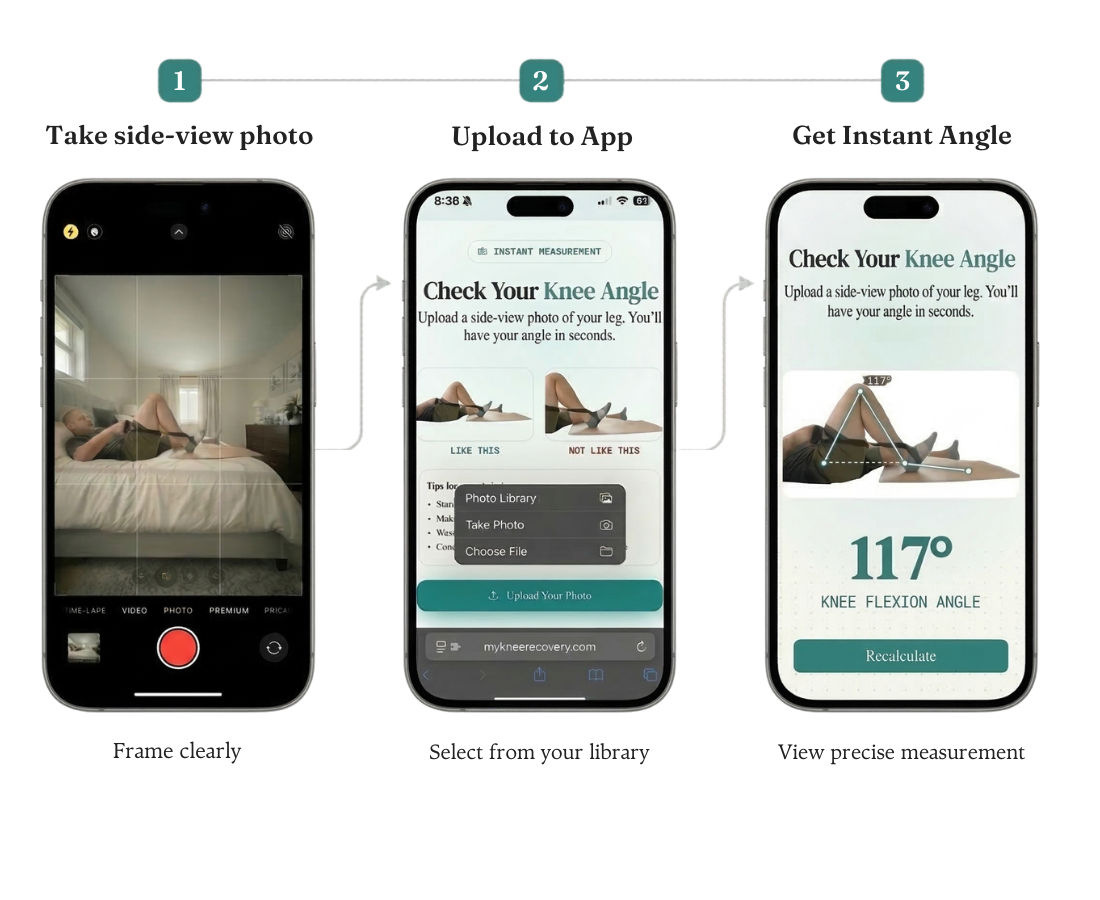
Upload a side-view photo and get your knee flexion angle in seconds. No app, no account, no waiting for your next PT appointment.
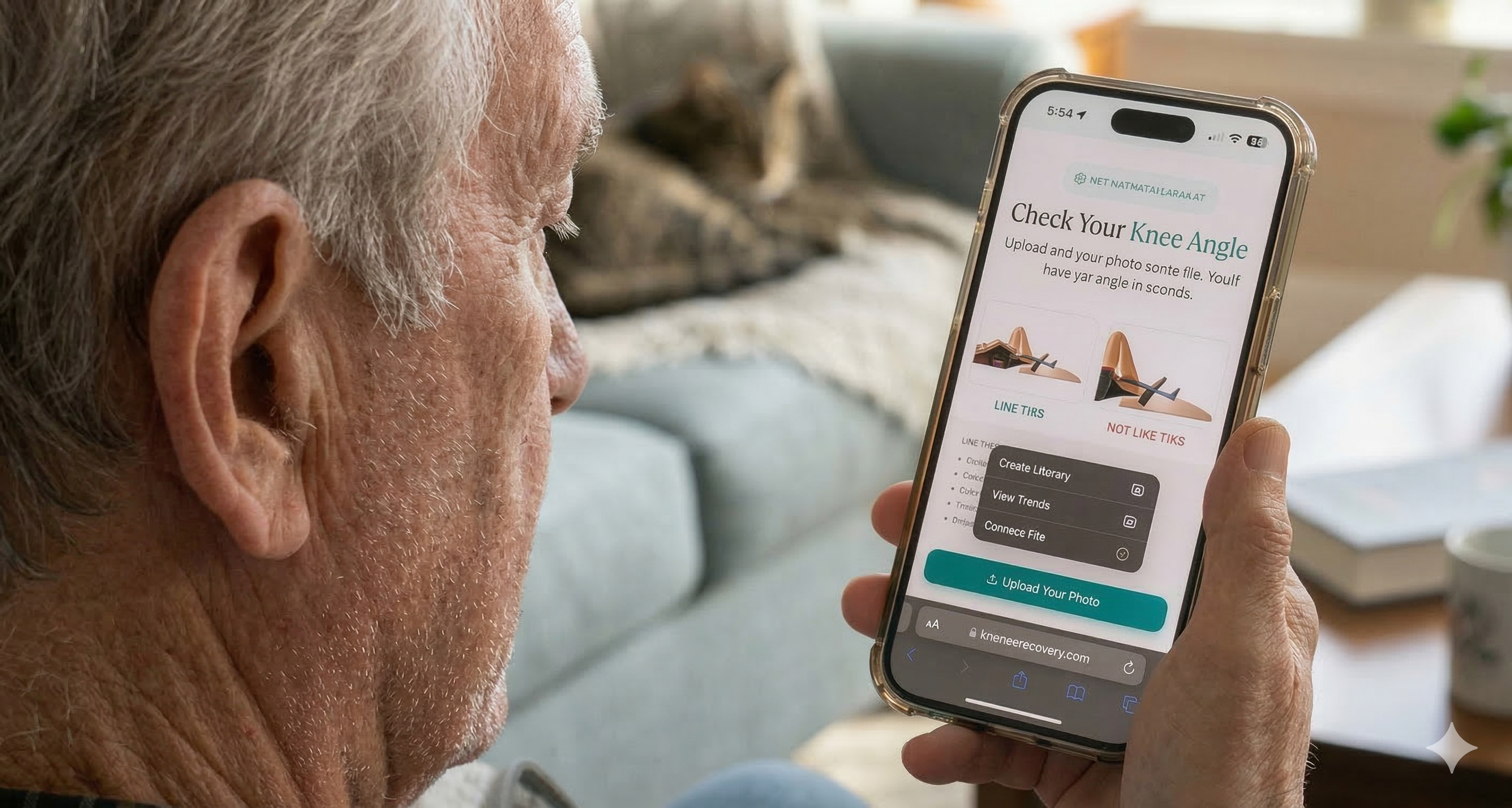
Check Your Knee Angle
Upload a side-view photo of your leg. You'll have your angle in seconds.
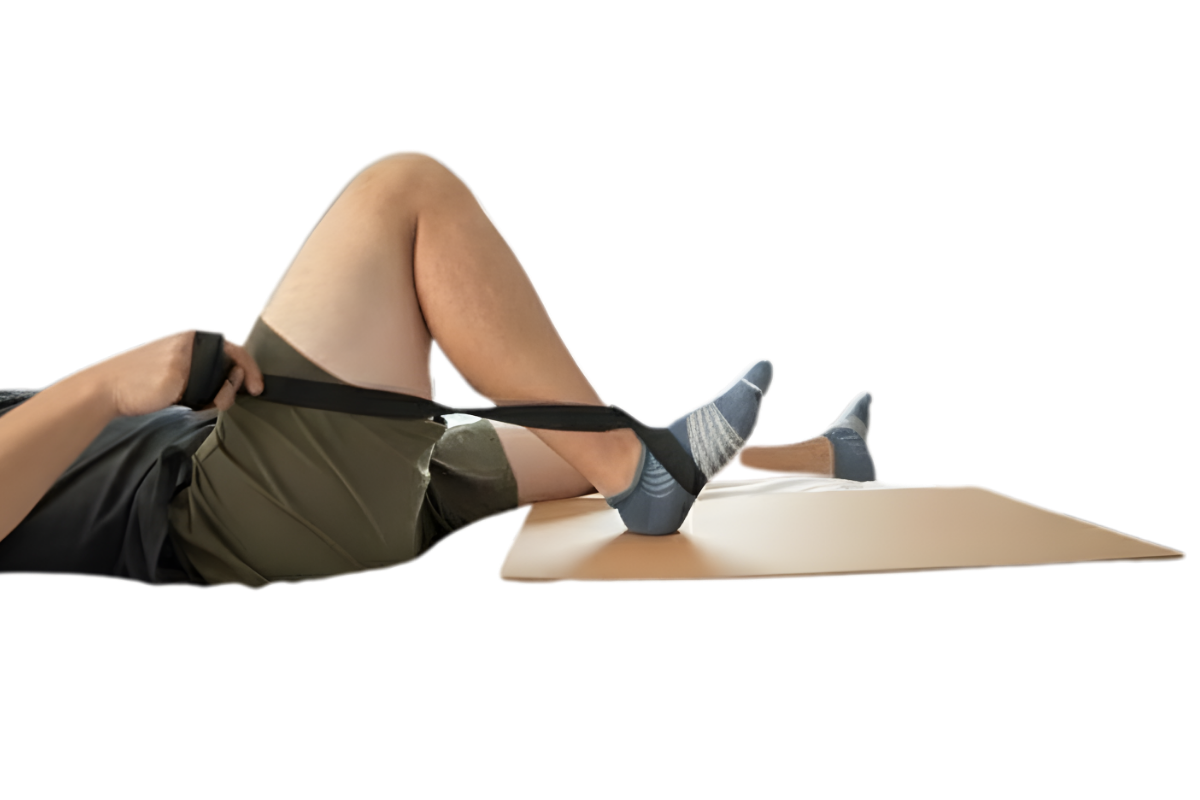
Like this
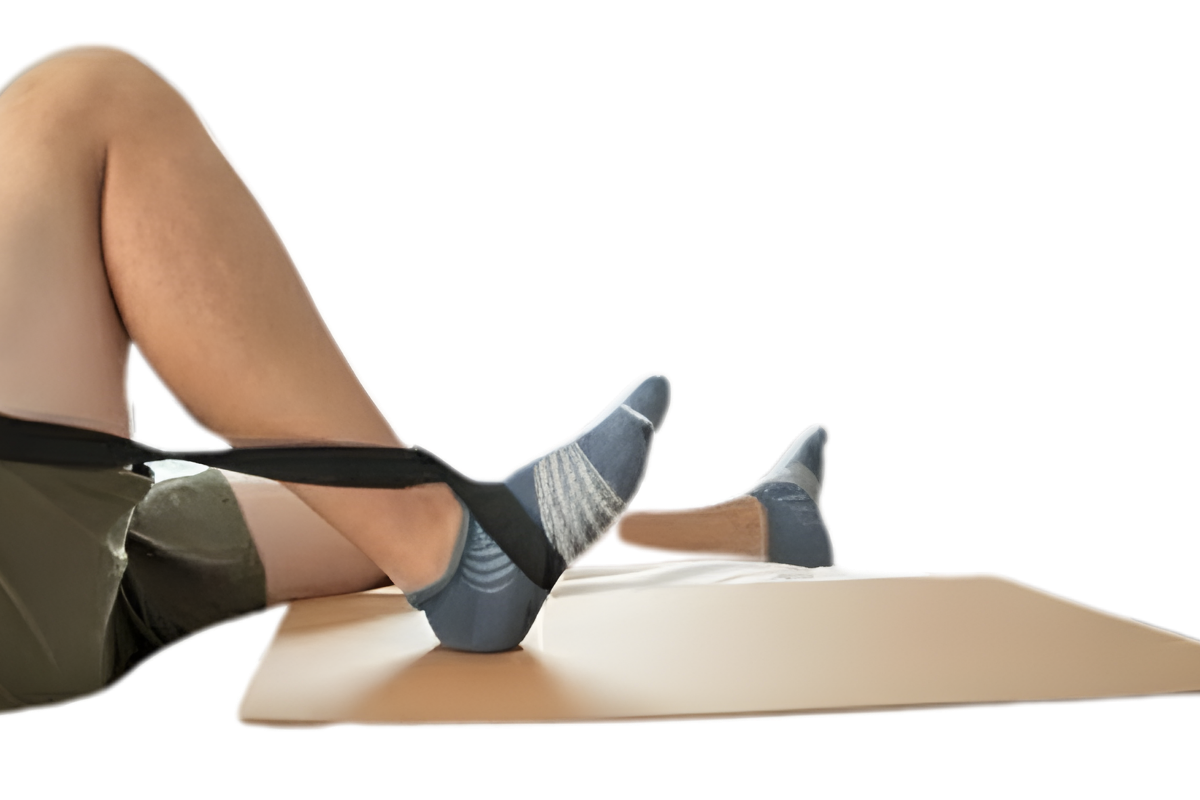
Not like this
Tips for a good photo:
- Stand or sit sideways to the camera
- Make sure your hip, knee, and ankle are visible
- Wear shorts or roll up your pant leg
- Good lighting helps — a well-lit room works fine
Photos processed in-browser. Never uploaded.
Three steps. Ten seconds.
No downloads. No calibration. Just a photo and your answer.
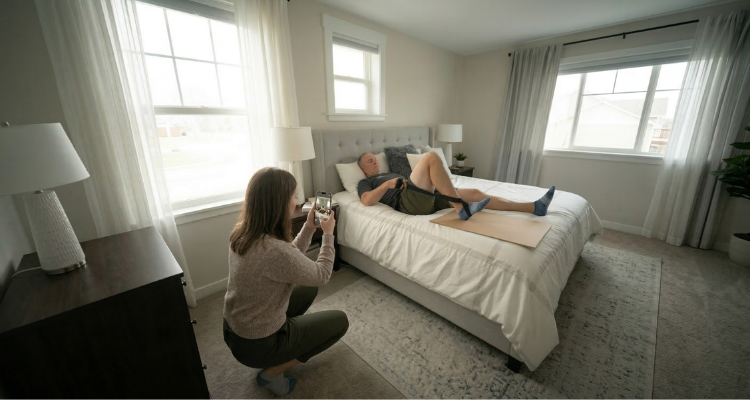
Take a Side Photo
Stand or sit sideways to the camera. Make sure your hip, knee, and ankle are visible. Have someone help if needed.
- Side-view angle
- Full leg visible
- Good lighting
Upload It Here
Your photo stays in your browser — nothing is sent anywhere. The AI detects your joints automatically.
- Processed on your device
- Nothing uploaded
- 100% private
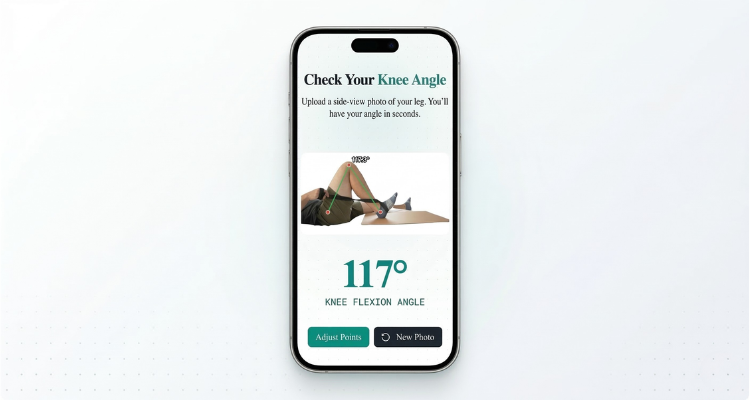
See Your Angle
Get your flexion angle instantly with a visual overlay. If the points aren’t quite right, tap to adjust them.
- Instant result
- Adjustable points
- Exercise recommendations
What your angle means for daily life
Every recovery is different. What matters most is the trend over time — not any single number.
0–60°
Early days
Bed and chair transfers, basic exercises — building toward walking range (about 60–75°)
60–90°
Getting there
Walking on level ground; clearing a step on the stairs comes in around 80–90°
90–120°
Functional range
Sitting comfortably in a chair (~90°), getting into a car (100–110°), stairs foot-over-foot
120°+
Strong recovery
Gardening, playing with grandkids, cutting your own toenails, golf
See the gains your body can't always feel.
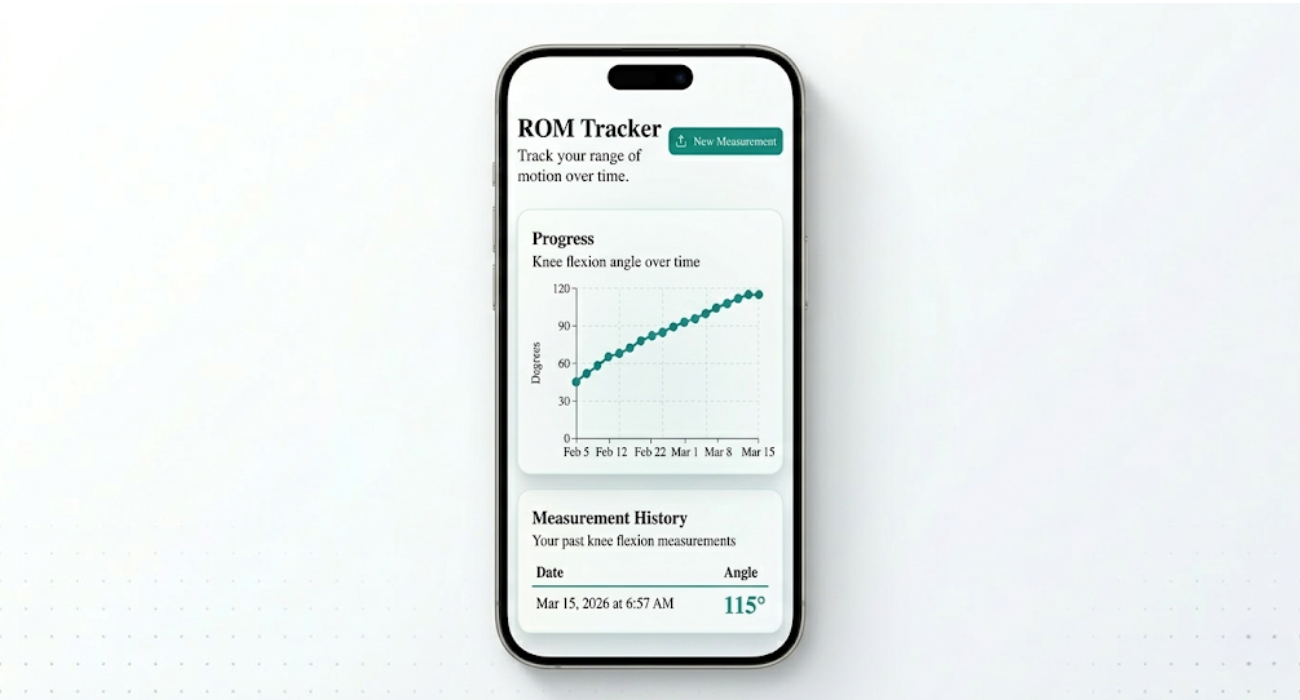
One measurement tells you where you are today. Track your angle over weeks and watch the progress chart climb — even on the days the “tight band” makes it feel like nothing's changing.
No credit card required
Unlimited measurements
Your data stays yours
Got questions?
Here are the answers.
A standard goniometer — the plastic tool your PT uses — has a margin of about 10°. Smartphone-based measurement has been validated at around 12°, which makes it significantly more reliable than visual estimation (14°+). It’s not a replacement for your therapist, but it’s the best way to track your progress between visits.
Your photo never leaves your device. It’s processed entirely in your browser — no servers, no cloud, no storage. When you close the page, the image is gone. We don’t track you, we don’t sell data, and we don’t run ads.
Take a photo. Upload it. Get your number. That’s it. If the automatic detection isn’t perfect, you can tap to place the points yourself. No menus to navigate, no settings to configure.
You can start as soon as you’re comfortable bending your knee for a photo. Early measurements give you a baseline — so when you’re at week six wondering if you’ve made progress, you’ll have proof that you have.
A few degrees of difference is completely normal. Swelling, time of day, and the exact photo angle all play a role. What matters isn’t any single number — it’s your trend over weeks. That’s what tells you if you’re on track.
It was designed for TKA recovery, but it works for anyone tracking knee range of motion — ACL rehab, meniscus repair, or general stiffness. The measurement works the same way regardless of why you’re tracking.